
Understanding Queuing in Zelph
Shopify is a powerful sales platform, but it has important limitations in the way it manages product pricing and inventory. Zelph overcomes these limitations by introducing queuing.
This guide explains what queuing means, why it exists, and how it affects the way your products appear in Shopify.
The Shopify Limitation
In Shopify, each product variant can only have:
- One cost price
- One sale price
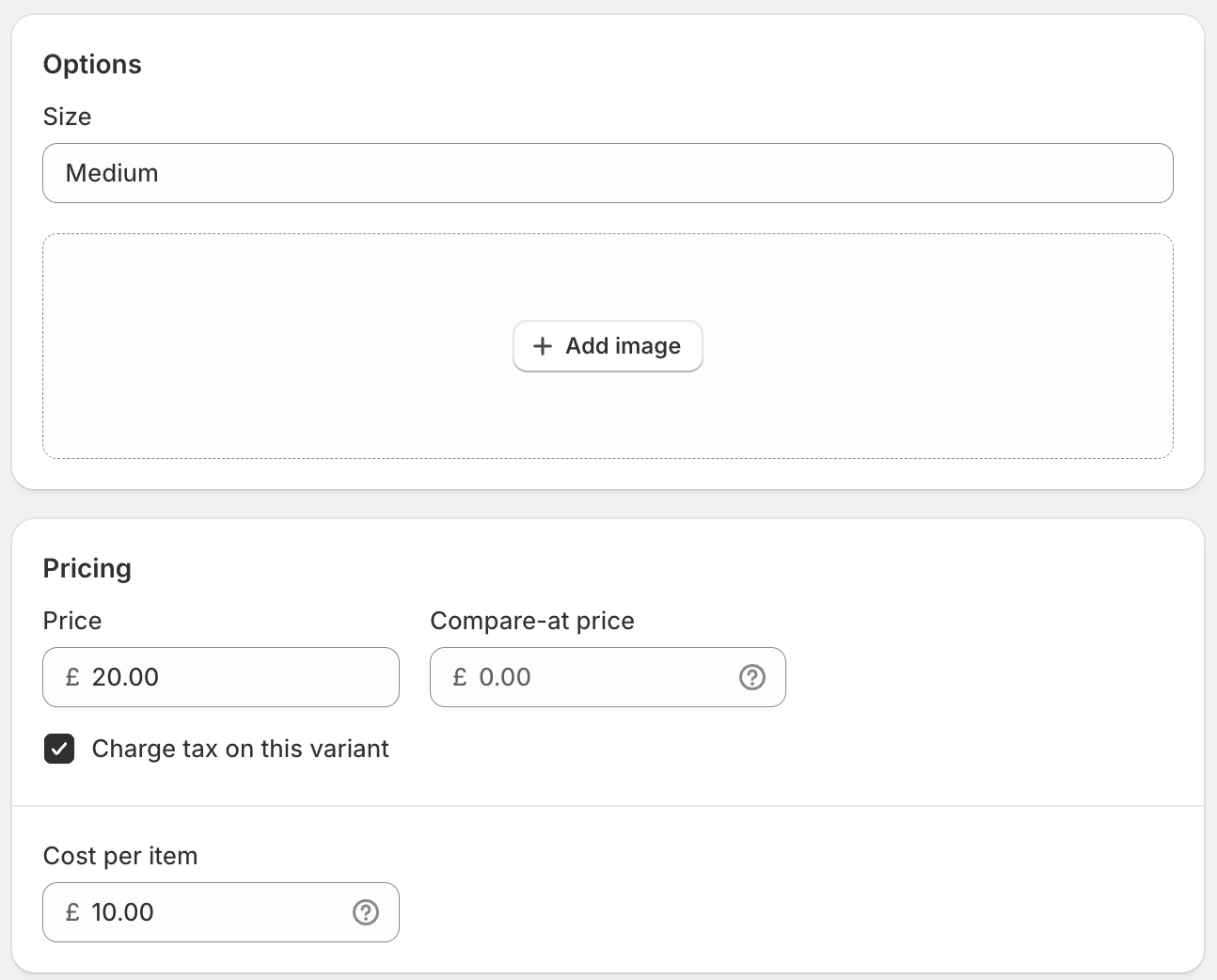
For example:
- A Classic Cotton T-Shirt in size Medium can only exist in Shopify as:
- Cost: £10
- Sale price: £20
That’s all Shopify can handle.
How Zelph Works Differently
In the real world, the same product may:
- Be purchased from multiple suppliers at different costs, or
- Be sold at different prices depending on the shop location.
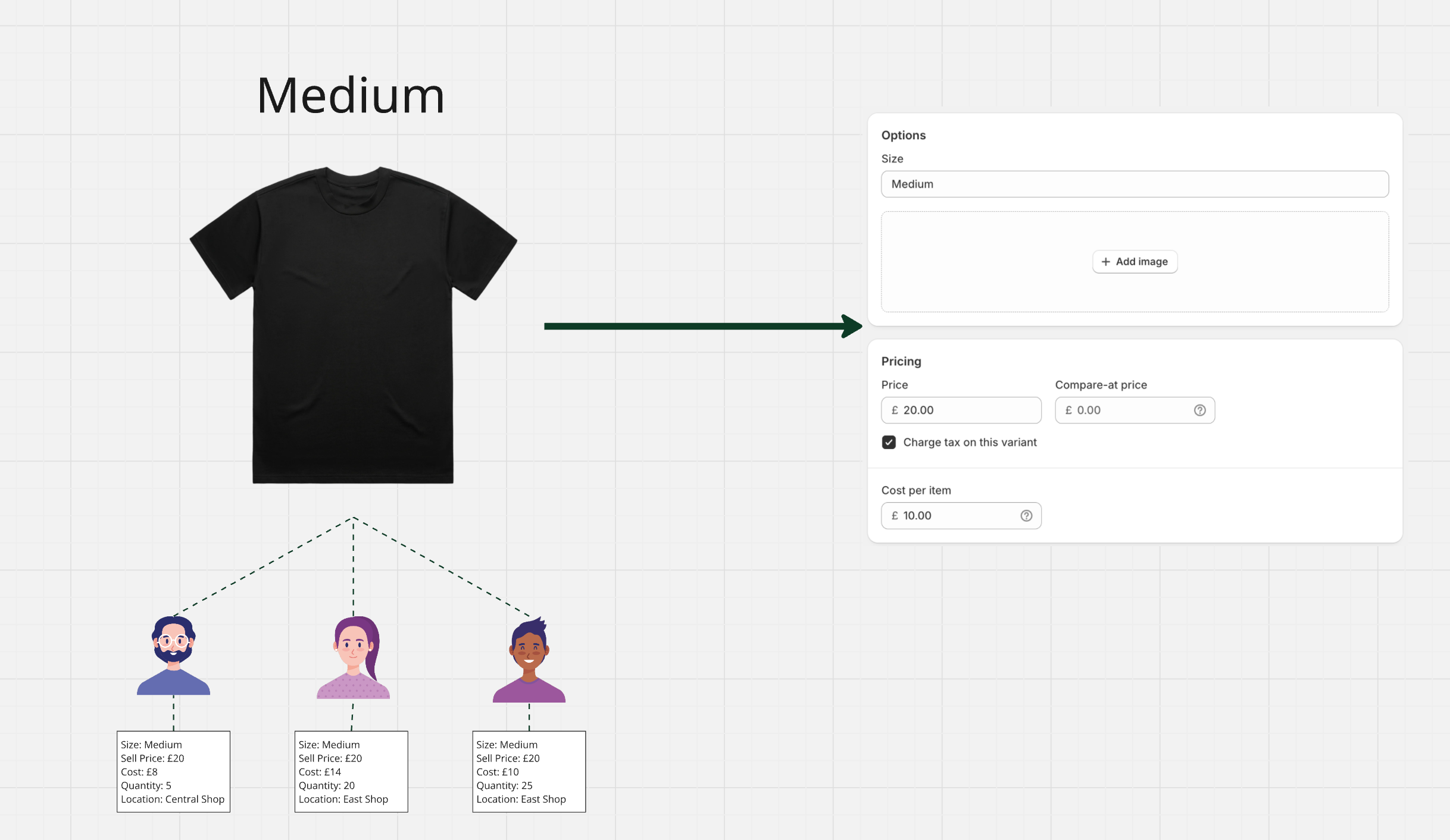
Zelph makes this possible by allowing you to add multiple entries of the same variant, each with its own details.
For example:
- A Classic Cotton T-Shirt in size Medium could exist in Zelph 50 times:
- All with the same sale price (£20)
- Each with a different cost price (because they were purchased from different suppliers)
When Queuing Happens
If all entries of a product in Zelph share the same cost price and sale price, then the full quantity will appear in both Zelph and Shopify at the same time.

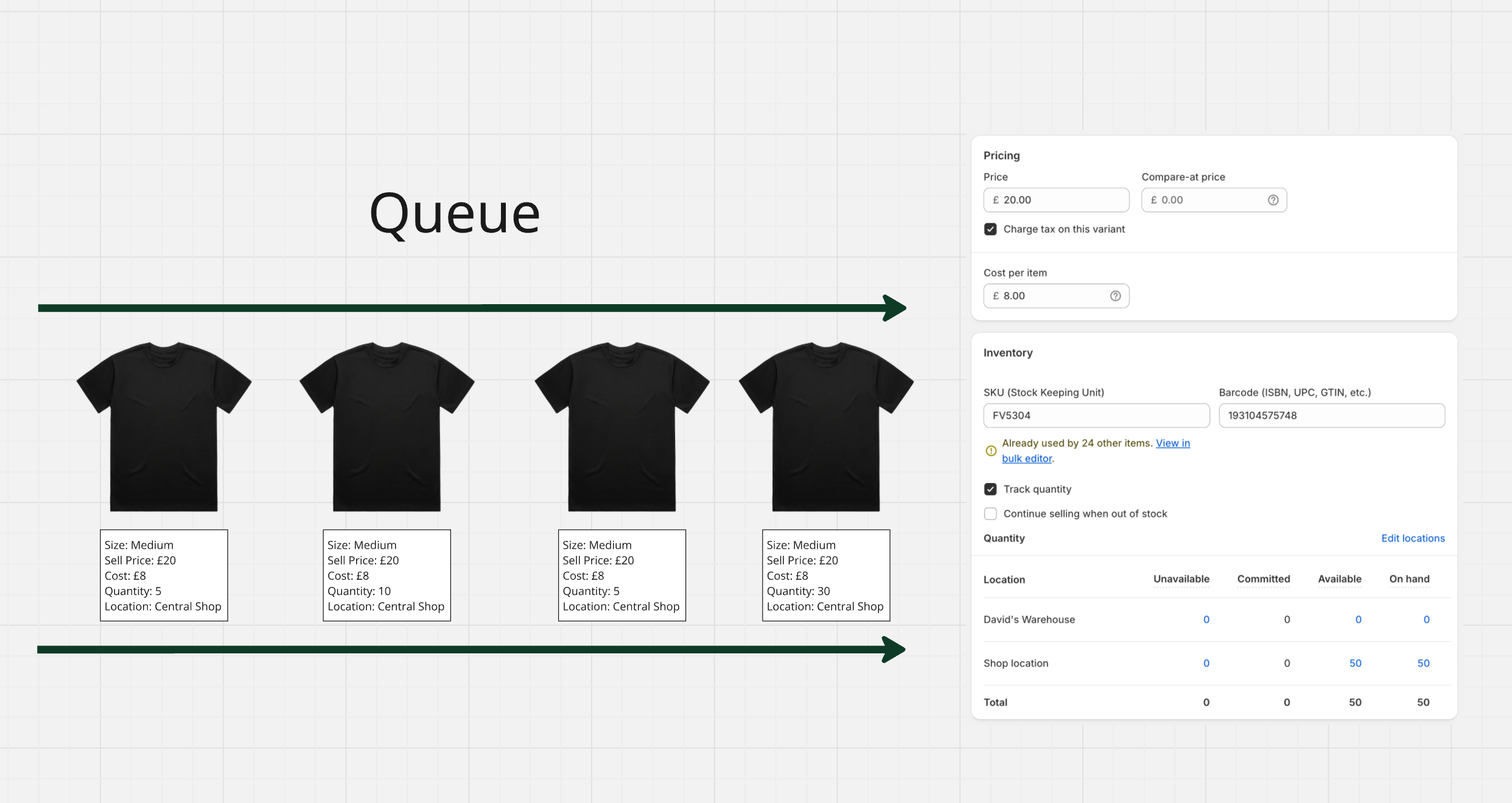
Queuing only comes into play when there are differences:
- Different cost prices (e.g. stock from multiple suppliers)
- Different sale prices (e.g. stock priced differently in Central Shop vs East Shop)
Because Shopify cannot display more than one cost or sale price for a single variant, Zelph queues the extra entries until they can be shown.
Example 1: Multiple Cost Prices
- In Zelph you have:
- 5 Classic Cotton T-Shirts with a £9 cost price
- 5 Classic Cotton T-Shirts with an £11 cost price
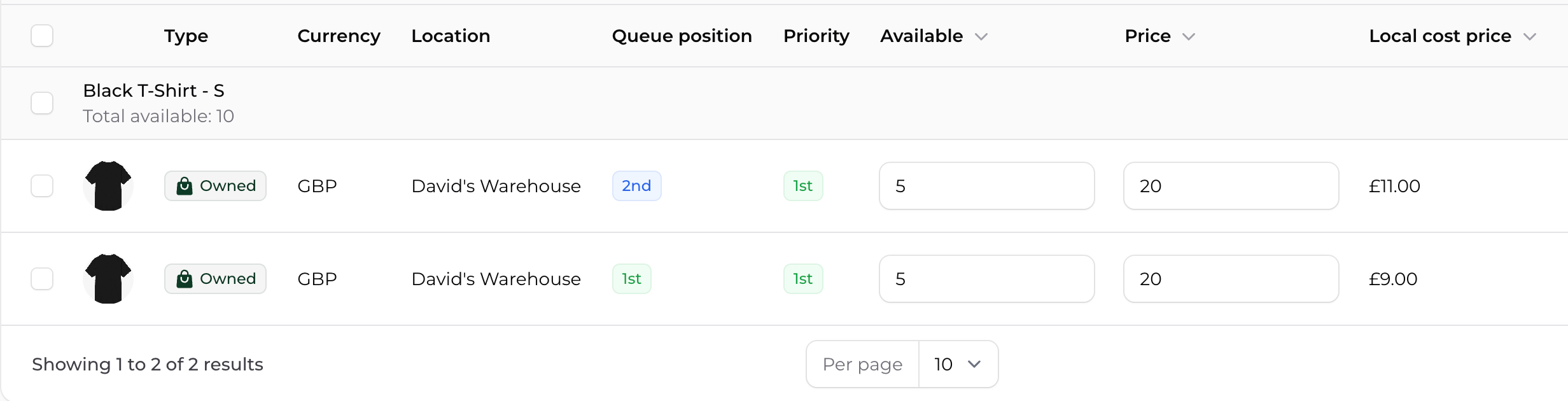
Shopify cannot display two different cost prices, so Zelph queues them.
- Shopify will first show the set with a £9 cost.
- Once those sell out, the set with an £11 cost will automatically appear.

Example 2: Multiple Locations
Shopify also only allows one sale price per variant, even if you have multiple locations.
For instance:
- Central Shop – Classic Cotton T-Shirt (Medium): £20
- West Outlet – Classic Cotton T-Shirt (Medium): £18
Shopify cannot display two different sale prices at once.
- Zelph will queue the West Outlet stock until the Central Shop stock is sold.
- Once the Central Shop stock has sold out, the West Outlet stock will then appear in Shopify.
Queue Position vs Priority
In Zelph, every inventory line for a product has two important values:

- Queue Position
- Explains where the stock sits in the overall queue.
- Only items in Queue Position 1 are visible in Shopify.
- Once all items in Queue Position 1 are sold, items in Queue Position 2 will automatically appear in Shopify.
- Priority
- Decides which inventory line Zelph will use first when multiple inventories share the same queue position.
- Priority 1 is chosen first, then Priority 2, and so on.
Example: Classic Cotton T-Shirt – Size Medium
Imagine you have stock across three locations:
- Central Warehouse – 9 units, Queue Position 1, Priority 1
- North Shop – 22 units, Queue Position 1, Priority 2
- East Outlet – 3 units, Queue Position 1, Priority 3
Here’s what happens:
-
Shopify only sees the combined total for Queue Position 1 (34 units).
When an online order is placed, Zelph will assign stock in this order:
- First from Central Warehouse (Priority 1)
- Then from North Shop (Priority 2)
- Finally from East Outlet (Priority 3)
Only once all 34 units are sold will the system move to any inventory in Queue Position 2 (if available).
Key Takeaway
- Queue Position decides whether the inventory is visible in Shopify.
- Priority decides which location gets used first when several share the same queue position.
- If cost or sale prices differ, Zelph queues the inventory so that Shopify only ever sees one price at a time.
This ensures Shopify always stays simple and accurate, while Zelph manages the complex logic behind the scenes.